
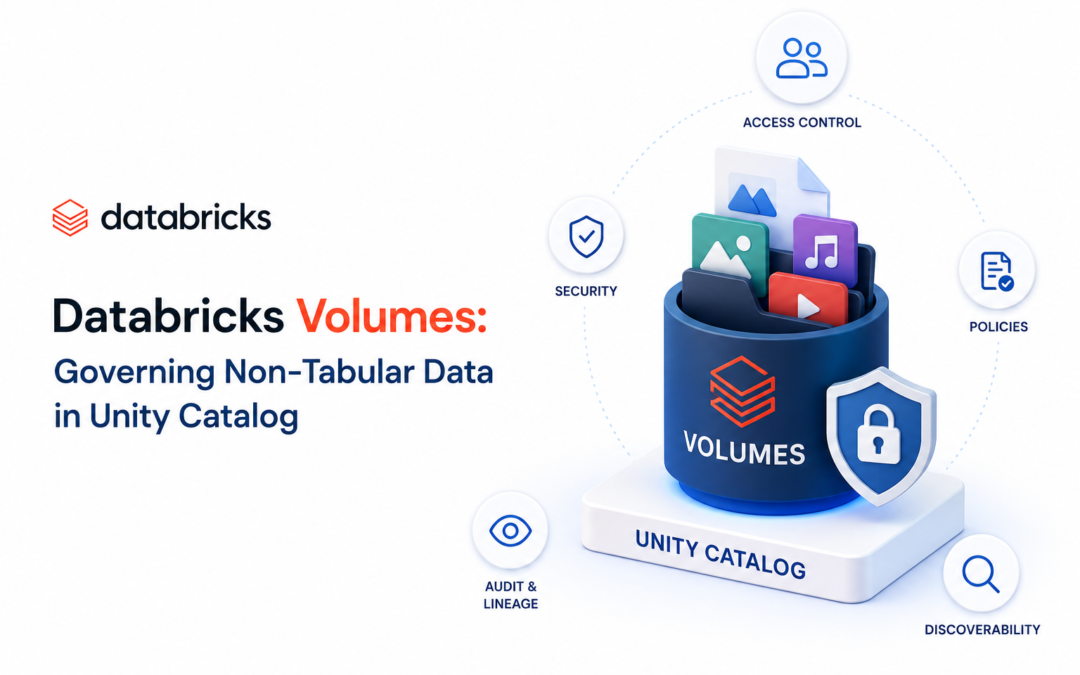
In the modern data and AI platform, not everything lives in clean tables. Images, PDFs, audio files, model artifacts, configuration files, landing-zone raw data, and library packages all need the same level of discovery, security, lineage, and governance that Unity Catalog already provides for tables.
Databricks Volumes solve exactly this problem. They are Unity Catalog objects that bring centralized governance to non-tabular data of any format—structured, semi-structured, or unstructured—while sitting alongside tables, views, functions, and models in the familiar three-level namespace (catalog.schema.volume).
What Are Volumes?
A Volume is a logical volume of storage in cloud object storage (S3, ADLS, GCS, etc.). It acts as a governed container for directories and files. While tables govern rows and columns, Volumes govern files and folders.
Key characteristics:
- They live under a schema in Unity Catalog.
- Access is controlled with the same privilege model used for tables (USE CATALOG, USE SCHEMA, READ VOLUME, WRITE VOLUME, etc.)
- Files are accessed via Volumes.Schema.volume_name.file_name
- You can read/write to this path using standard file APIs using python, dbutils, fs cmd, sql (select * from csv.`filpath`)
Managed vs External Volumes
| Aspect | Managed Volume | External Volume |
| Storage location | Databricks manages it inside the schema’s managed storage | You point it at an existing cloud storage path |
| Data lifecycle | Databricks manages layout and deletion (with retention) | Data remains in cloud storage when the volume is dropped |
| Typical use case | New data, Databricks-centric workloads, simplicity | Existing data lakes, multi-system access, no data movement |
| LOCATION clause | Not used | Required |
Managed volumes are the simplest starting point—create the volume and start writing files.
External volumes let you add Unity Catalog governance to data that already lives in cloud storage without copying it.
Practicing Volumes in databricks using notebook:
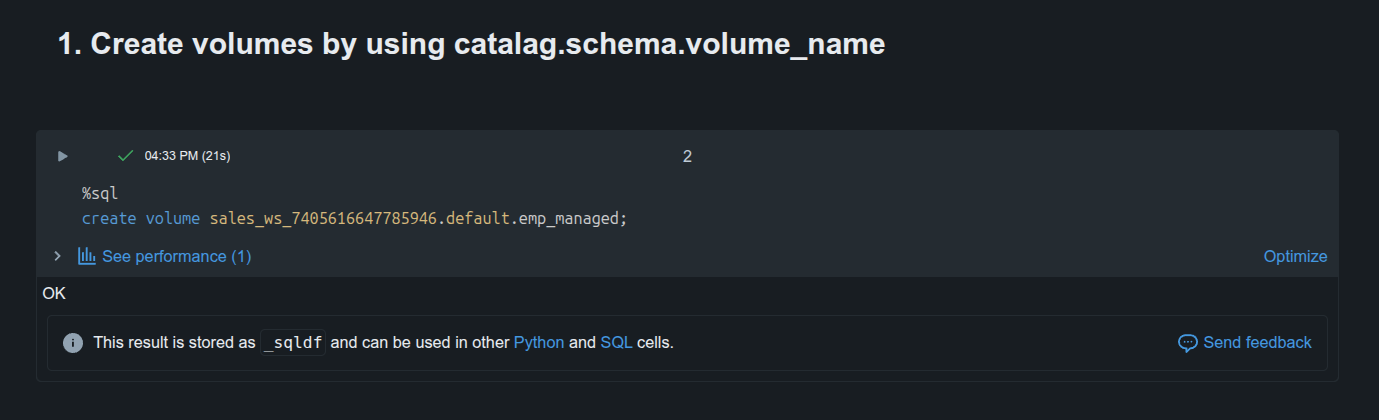
1. Create volumes by using catalog.schema.volume_name
%sql
create volume sales_ws_7405616647785946.default.emp_managed;
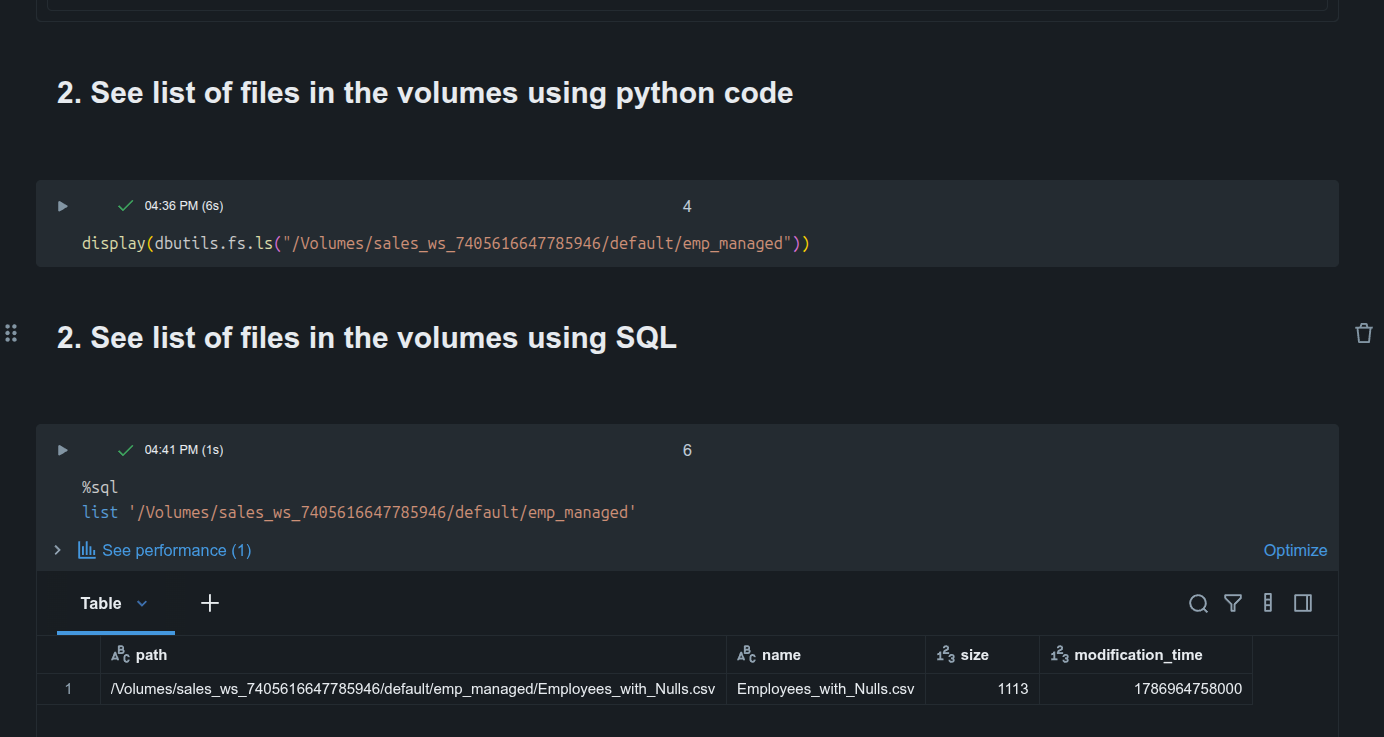
2. See list of files in the volumes using python code
display(dbutils.fs.ls("/Volumes/sales_ws_7405616647785946/default/emp_managed"))
3. See list of files in the volumes using SQL
%sql
list '/Volumes/sales_ws_7405616647785946/default/emp_managed'
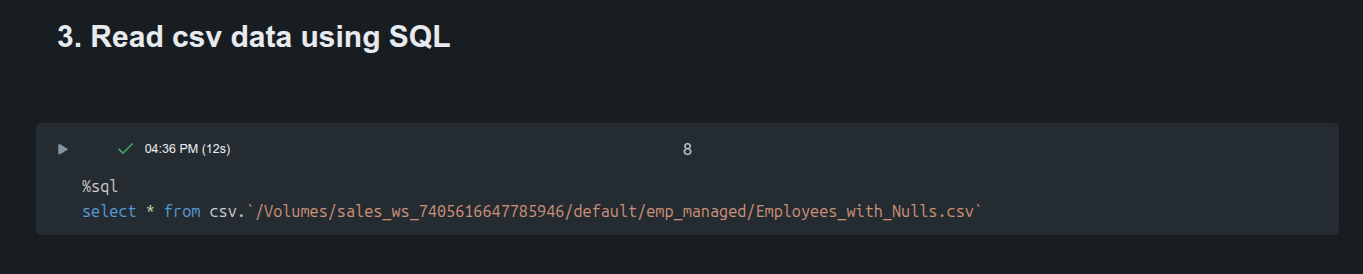
4. Read csv data using SQL
%sql
select * from csv.`/Volumes/sales_ws_7405616647785946/default/emp_managed/Employees_with_Nulls.csv`
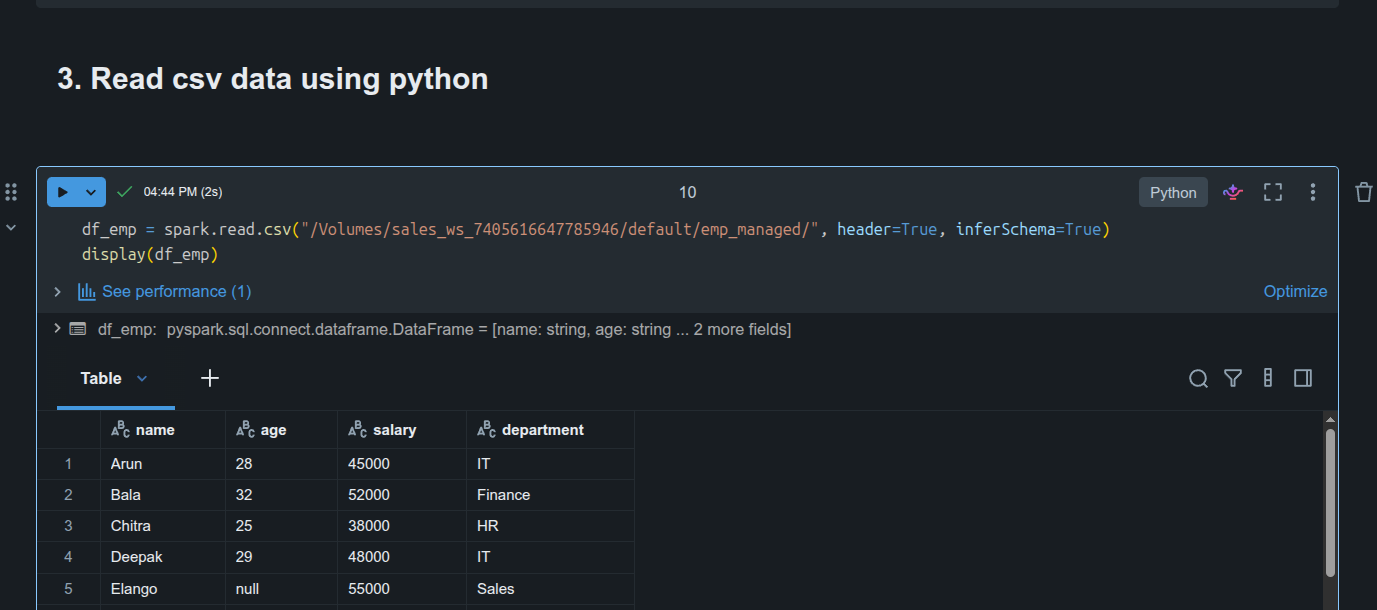
5. Read csv data using python
df_emp = spark.read.csv("/Volumes/sales_ws_7405616647785946/default/emp_managed/", header=True, inferSchema=True)
display(df_emp)
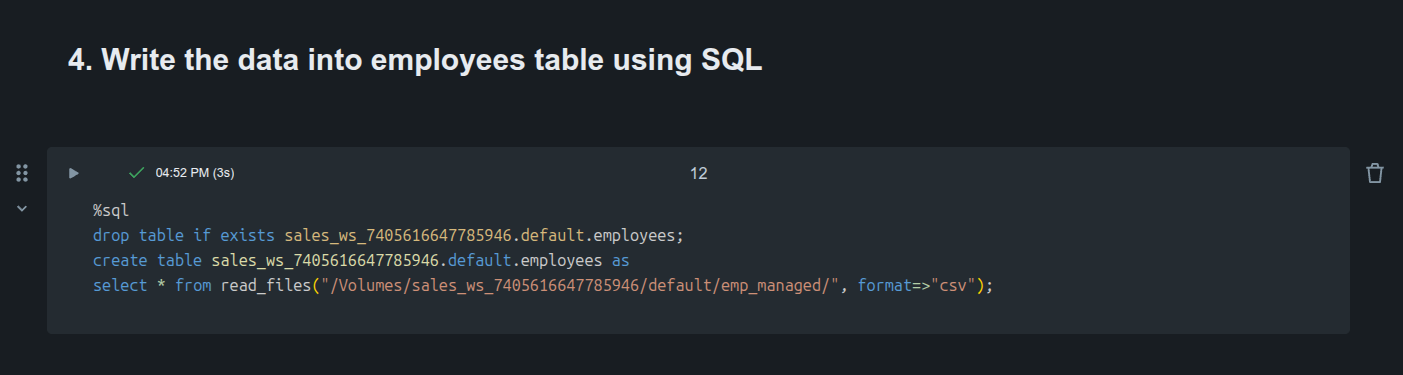
6. Write the data into employees table using SQL
%sql
drop table if exists sales_ws_7405616647785946.default.employees;create table sales_ws_7405616647785946.default.employees as
select * from read_files("/Volumes/sales_ws_7405616647785946/default/emp_managed/", format=>"csv");
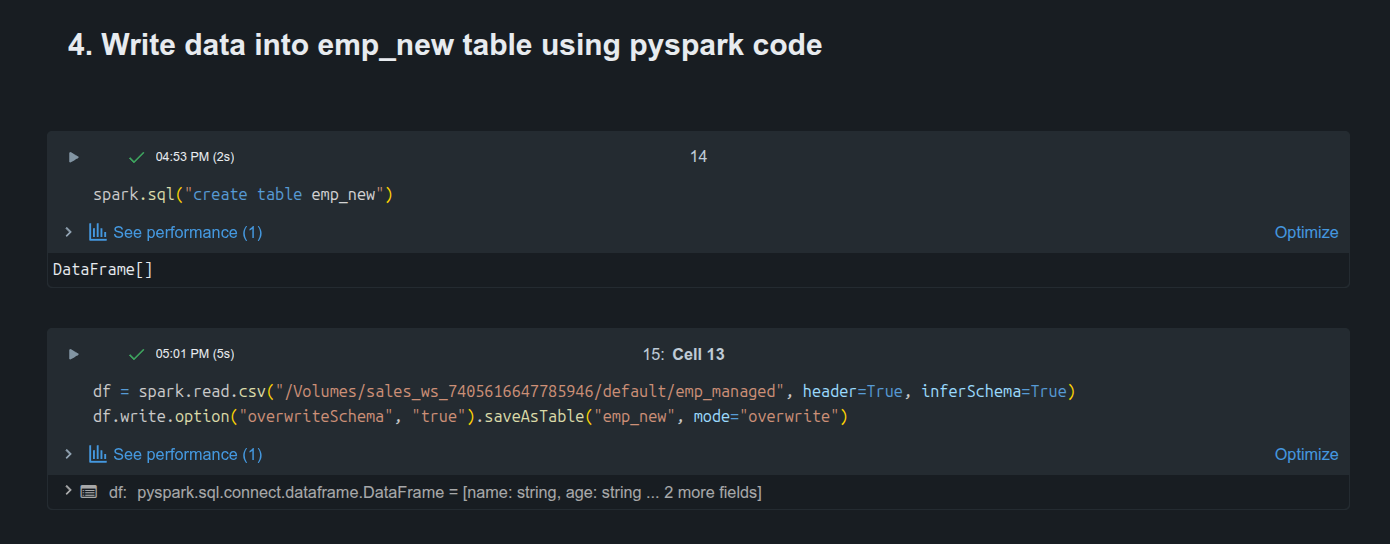
7. Write data into emp_new table using pyspark code
spark.sql("create table emp_new")
df = spark.read.csv("/Volumes/sales_ws_7405616647785946/default/emp_managed", header=True, inferSchema=True)
df.write.option("overwriteSchema", "true").saveAsTable("emp_new", mode="overwrite")
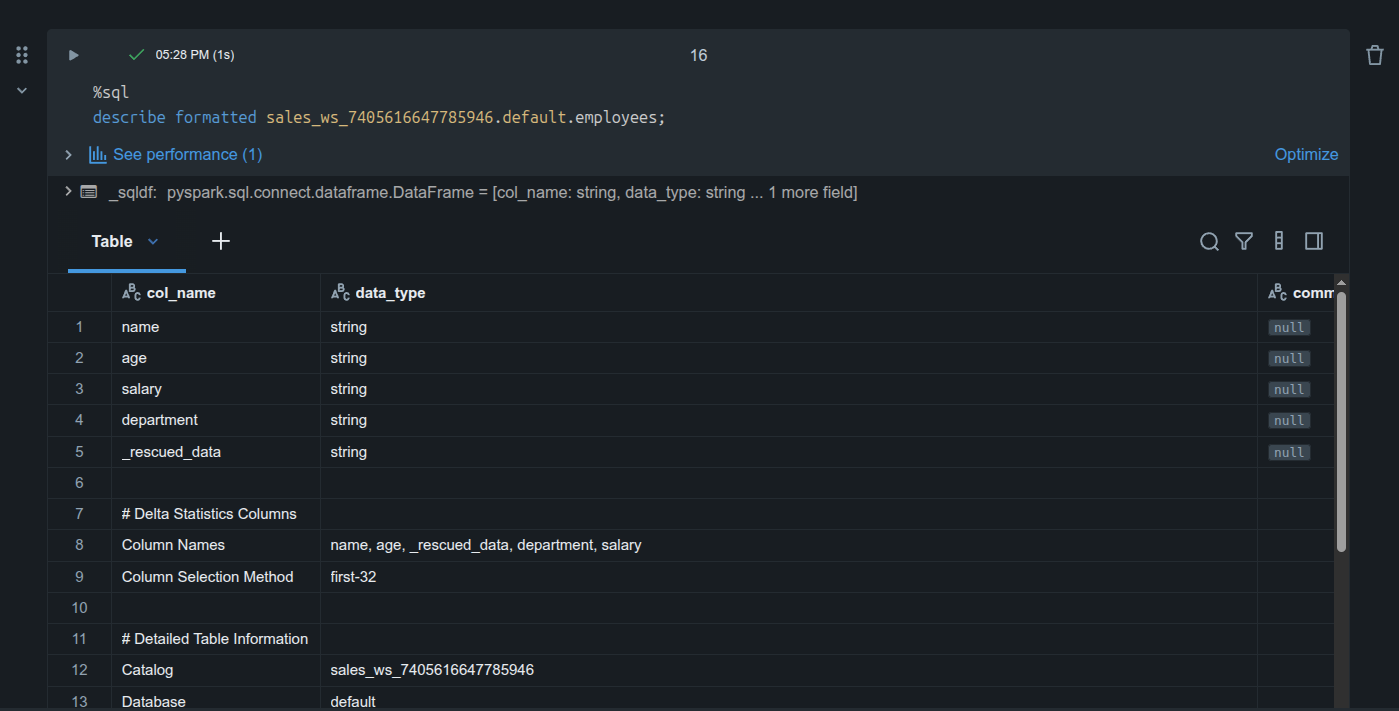
See below screenshots for actual code implementaton in databricks:
Common Use Cases
- Landing zones and ingestion staging: Drop raw files from external systems into a volume, then process them with Auto Loader, COPY INTO, or CTAS.
- Data science & ML: Store images, audio, video, PDFs, or intermediate artifacts that data scientists and ML engineers need for exploration and training.
- Unstructured data for GenAI / RAG: Keep document collections under governance, process them with AI functions, and feed them into vector search indexes.
- Operational files: Checkpoints, logs, library JARs/wheels, init scripts, and configuration files.
- Cross-system sharing: Use Delta Sharing to share volumes (tables + files) with partners or other workspaces.
Final Thoughts
Volumes complete the Unity Catalog story. Tables give you governed structured data; Volumes give you governed files. Together they let data engineers, analysts, data scientists, and AI teams work with the full spectrum of enterprise data under one security, discovery, and lineage model.
If your organization is still mixing DBFS mounts, raw cloud paths, and Unity Catalog tables, migrating non-tabular workloads to Volumes is one of the highest-leverage governance improvements you can make.
Start with a managed volume for a new landing zone or ML artifact store, experiment with the UI and the /Volumes path, and you’ll quickly see why Databricks recommends Volumes as the standard way to manage non-tabular data.